
The first week of the year brought several meaningful improvements across CREx OS, focused on multi-property workflows, clearer comparisons, and improved financial visibility. Below is a summary of new additions, enhancements, and fixes released between January 1 and January 8, 2026.
New Additions
CO-266: Multi-select support for properties and portfolios across dashboards
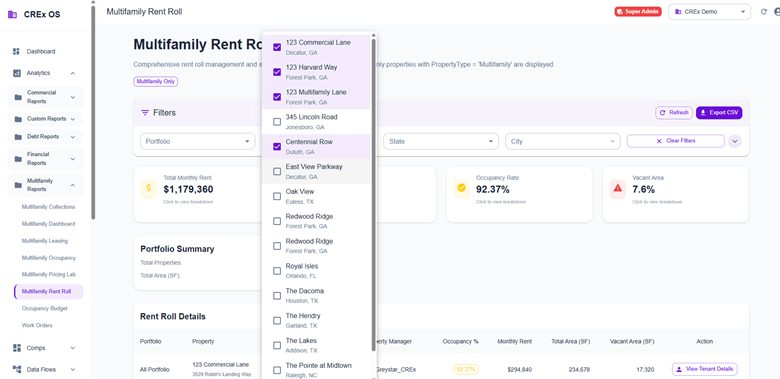
We introduced comprehensive multi-select functionality across all multifamily and financial dashboards. Users can now select multiple properties simultaneously, even across different portfolios, enabling faster cross-property analysis and comparison. This update includes checkbox-based selection, improved state management, and enhanced filtering across Collections, Dashboard, Leasing, Rent Roll, Occupancy, and Pricing Lab modules.
Summary cards now clickable for property-level breakdown
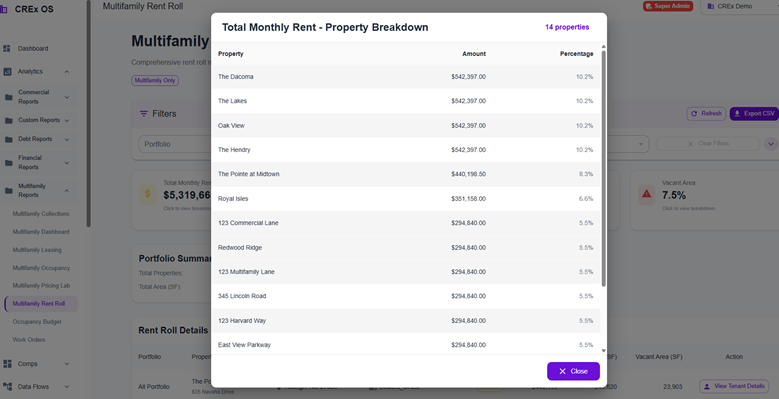
Summary cards within Collections, Dashboard, Leasing, and Rent Roll modules are now interactive. Clicking a summary card allows users to drill directly into property-level details, making it easier to move from high-level insights to specific property data and improving overall navigation efficiency.



Enhancements
CO-271: Amount Type First comparison view in property comparison
A new “Amount Type First” view has been added to property comparison reports and is now set as the default. This view groups data by amount type (Actual, Budget, Forecast) first, making it easier to compare different financial perspectives across properties.
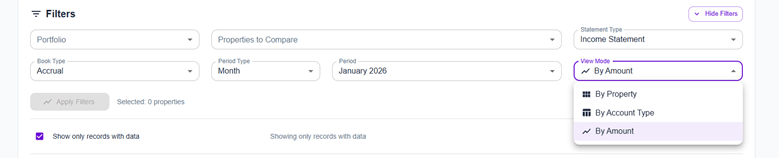
Table view in financial dashboard breakdown
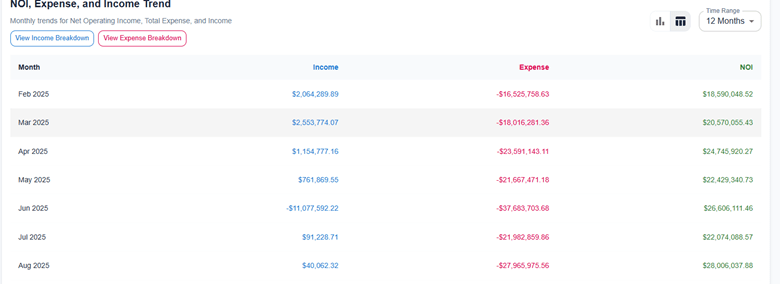
A table view option has been added to the financial dashboard breakdown section. Users can now choose between chart and table views when reviewing financial breakdown data, providing greater flexibility in how information is consumed and analyzed.
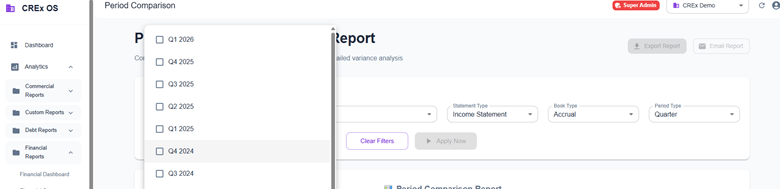
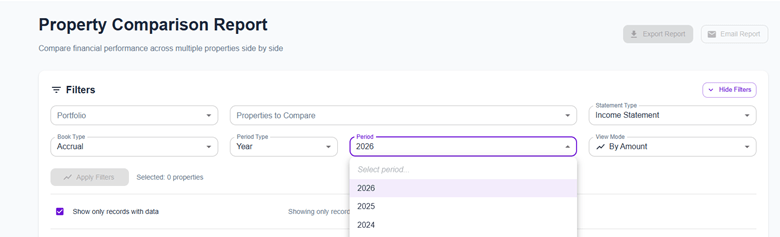
Flexible period comparison in financial reports
Financial reports now support flexible period comparisons. Users can compare data across multiple custom periods, enabling more precise trend analysis and performance evaluation.
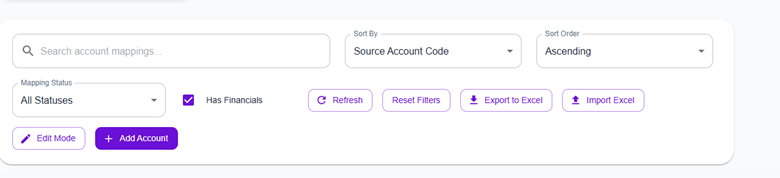
CO-226: “Unmapped with financials” field in Chart of Accounts
A new “unmapped with financials” field has been added to Chart of Accounts management. This enhancement helps identify accounts that have financial activity but are not properly mapped. Visibility was improved through revised hasFinancial logic and the removal of the active filter.
If you have feedback or feature requests, we’d love to hear from you.